

🎉 LAUNCH DEAL: 60% OFF Pro for the 1st year!

Simple Custom Code - CSS, JS, and HTML

Add unlimited custom CSS, JavaScript, and HTML snippets to your WordPress website with ease. Performance-optimized, file-based, secure, beginner-friendly, and AI-assisted
CSS, Javascript, and HTML WordPress Custom Code Snippets

Simple Custom Code is the most intuitive and powerful WordPress plugin for adding custom CSS, JavaScript, and HTML code to your website.

Whether you’re a beginner or an experienced developer, this plugin makes it incredibly easy to customize your WordPress site without touching theme files or risking data loss.

Unlike other custom code plugins that store snippets in your database (slowing down your site), Simple Custom Code stores all your code in optimized files, ensuring lightning-fast performance and better security. The plugin is designed with simplicity in mind while providing advanced features for professional developers.

Take your snippets to the next level with AI

Supercharge your web development workflow with AI-powered code generation. This tool lets you harness the capabilities of ChatGPT to streamline front-end coding, from custom styles to dynamic scripts. With flexible model support and prompt optimization built in, it’s designed for speed, precision, and ease of use. Just connect your OpenAI API token to get started.

Pro

Upgrade to Simple Custom Code Pro for advanced functionality

Choose the right plan for you!

Solo
$29/year
Business
$69/year
Agency
$139/year
Unlimited
$299/year
100% Risk-Free Money Back Guarantee!
Our #1 priority is your happiness. Which means we stand by our products 100%, no matter what. If you don’t like your investment over the next 14 days, just open a support ticket, and we will happily refund 100% of your purchase. Happiness. Guaranteed.

Core vs Premium features

We have 2 major versions of the plugin the first is the core version which is and always will be free. The second is the complete and premium version, which is packed with many great and amazing features. To help get an idea of the difference click on a version to compare the key differences below. 

Feature
Free
Pro
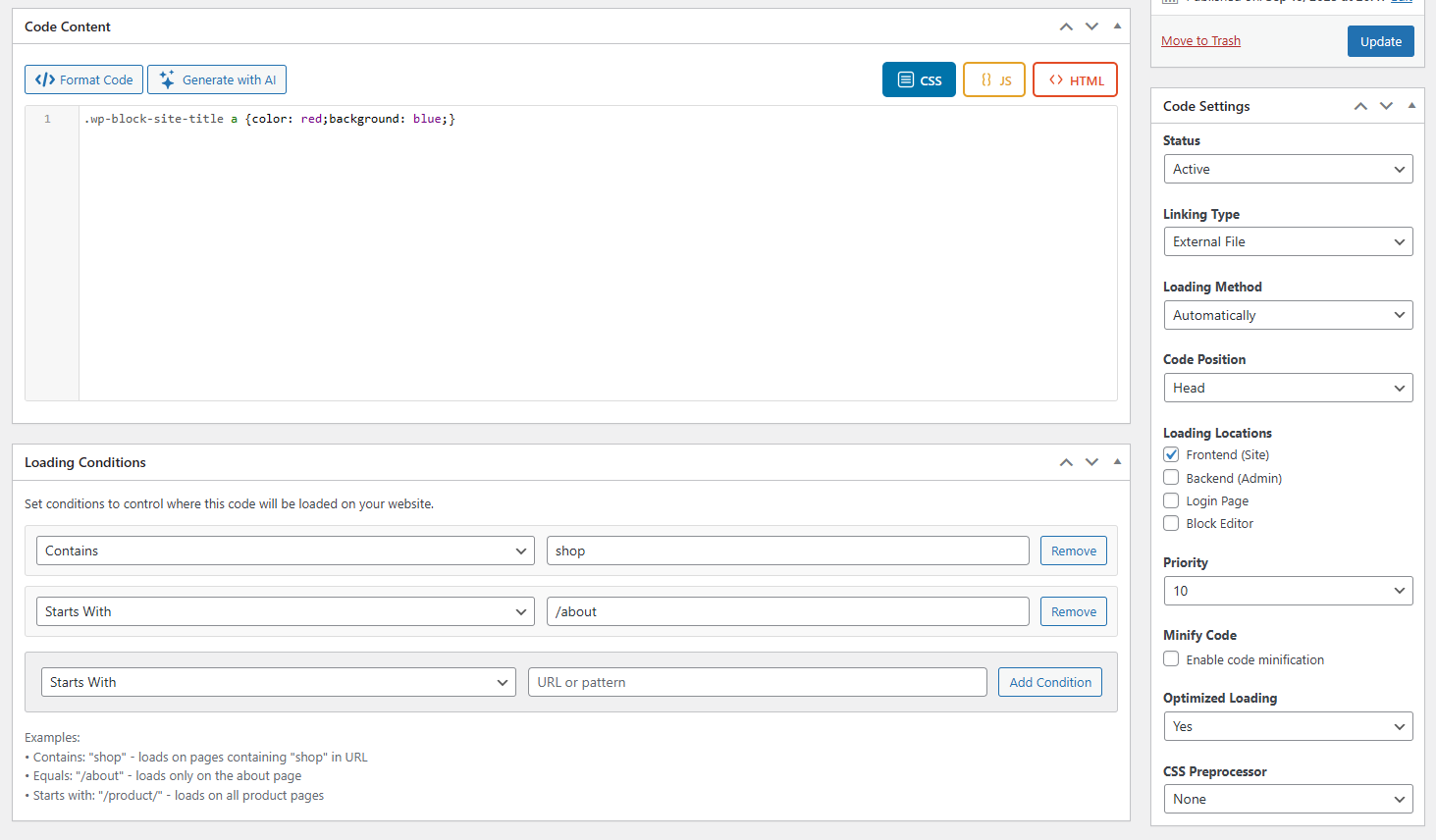
Add unlimited CSS, JavaScript, and HTML snippets to your WordPress website

Activate or deactivate any snippet with a single click
Modify file names that appear when linking code as external files
Beautiful code editor with syntax highlighting and autocomplete
Select where snippets load: head or end of your website
Choose locations: Frontend, Backend, Login page, or Block Editor
Control loading priority from 1 to 15 for perfect execution order
Built-in code beautifier for clean, readable code
Code warnings and error detection based on programming language
Access control using standard WordPress user roles
Generate custom CSS, JavaScript, and HTML using ChatGPT integration
Manual loading with custom actions, filters, or shortcodes

Advanced loading conditions – target specific URLs and pages
Optimized code loading for CSS and JS (external files only)
Remove loading comments from page source
Automatic code minification with stored minified versions
SCSS and Less support with automatic compilation
Cache Mode: combine all page snippets into a single cached file

Ready to take your Web Development to the next level?

Frequently Asked Questions

If your question about social networks for sharing is not listed here, please contact us.

Is Simple Custom Code safe to use?

Yes! Simple Custom Code is built with WordPress security best practices. All code is stored in secure files, and the plugin includes validation and error checking to prevent common issues.

No! Unlike other plugins that store code in the database, Simple Custom Code stores all snippets in optimized files. Inactive snippets don’t load at all, ensuring optimal performance.

Absolutely! Simple Custom Code is designed for users of all skill levels. The interface is intuitive, and you can even use AI to generate code for you.

There’s no limit! You can add unlimited CSS, JavaScript, and HTML snippets with the free version.

  • Internal: Code is embedded directly in your page HTML
  • External: Code is linked as a separate file (better for caching and performance)

Yes! Every snippet has an activate/deactivate toggle, so you can turn snippets on or off without deleting them.

Yes! Simple Custom Code works with any WordPress theme. Since it adds code at the WordPress level, it’s theme-independent.

Simply create a new HTML or JavaScript snippet, paste your tracking code, set it to load in the head section on the frontend, and activate it.

Yes! You can add custom CSS with media queries, or use advanced loading conditions in the Pro version to target specific devices.

SCSS and Less compilation is available in the Pro version, with automatic compilation and storage of CSS files.

Yes! Simple Custom Code works with all major page builders including Elementor, Beaver Builder, Divi, and Gutenberg.

The Pro version includes advanced loading conditions that let you target specific URLs, pages, posts, or custom conditions.